1Have a ration card?
Your ration card number is your Family ID. Register and sign in only to view or print it.
familyid.up.gov.in → Start Application → register → sign in → add every member with Aadhaar OTP.
Track Status → your 15-digit application number.
Sign in → Aadhaar → OTP → view, print or update your Family ID.
5Cost and time
Free. No document upload. Verification visit within 15 days for new IDs.
What Is UP Family ID?
UP Family ID, officially Family ID — Ek Parivar Ek Pahchan (फैमिली आईडी — एक परिवार एक पहचान, “One Family, One Identity”), is a 12-digit unique number for a household in Uttar Pradesh. It is run by the state’s Planning Department on familyid.up.gov.in.
The scheme was set up by a Government Order of July 21, 2022, and its implementation guidelines were issued on February 7, 2023. The aim, in the portal’s words, is a real-time, comprehensive database of families so that government schemes reach the right people, and eligible families who were left out of welfare programmes can be found and included. The portal also states the goal of giving every household access to employment opportunities.
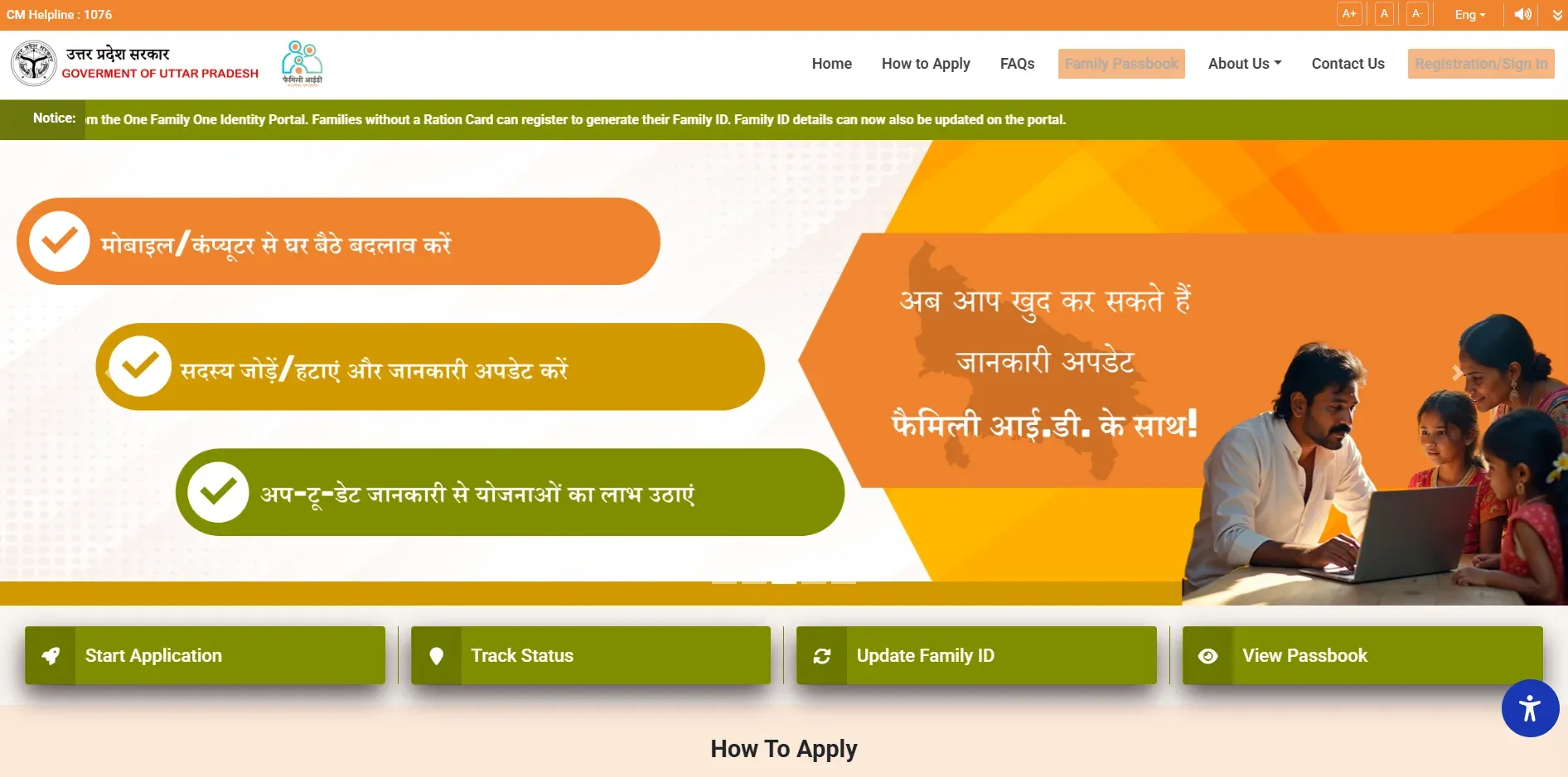
The Family ID is an identifier, not a benefit. Having one doesn’t pay you anything by itself. It is the key departments use to check your family’s details and eligibility, so you are found for schemes and don’t have to prove the same facts again and again. Enrolment is voluntary: the official FAQ says families who get, or want to get, benefits under state or central schemes should register, and anyone else may opt in.
Ration Card Holders: You Already Have a Family ID
This is the most important point, and most guides bury it: if your family has a UP ration card, the ration card number is your Family ID. You don’t need to apply for a new one.
The state built the Family ID on top of the ration card database. According to the June 2025 Government Order, the ration card numbers of about 3.60 crore NFSA ration card families (15.07 crore members) are treated as their Family IDs. You can still register and sign in on the portal to see and print it: after you enter your Aadhaar, the portal shows the Family ID your family already has. If you don’t remember your ration card number, any member listed on the ration card can register and authenticate with Aadhaar to get it.
Only families without a ration card apply for a new 12-digit Family ID. If you later get a ration card, the ration card number becomes your Family ID, and applying for a Family ID doesn’t affect your eligibility for a ration card.
Why You Need a Family ID
- Schemes find you: 82 DBT schemes were linked to the Family ID in October 2026. Departments check eligibility against it, and the state uses it to find people who qualify but are left out.
- Pensions: the state uses Family ID data to find people turning 60 for the old age pension; 4.62 lakh pension enrolments had come through the Family ID by October 2026. The SSPY pension portal asks applicants without a Family ID to make one first.
- Domicile certificate: the domicile certificate application on eSathi asks for a Family ID. For students who need domicile for the NEET state quota or admissions, and for job seekers, a missing Family ID can hold everything up, so create it early.
- Ration: 20.3 lakh people had ration benefits enabled through the Family ID by October 2026, including 14 lakh e-Shram workers.
- Family Passbook: a single view of the scheme benefits your family has received, with dates, and of schemes you may qualify for but aren’t getting yet.
- Less paperwork: your Aadhaar-verified family details are reused across departments, including for scholarships.
Family ID vs Parivar Register vs Aadhaar
People often confuse these three. They are different documents for different jobs:
| UP Family ID | Parivar Register Nakal | Aadhaar | |
|---|---|---|---|
| What it is | 12-digit household number for schemes | Certified copy of the Gram Panchayat’s family register | 12-digit number for one person |
| Issued by | Planning Department, UP (familyid.up.gov.in) | Gram Panchayat (applied for on eSathi) | UIDAI, Government of India |
| Covers | The whole household | The whole family, as recorded over the years | One individual |
| Since | 2022–23 | Decades | 2009 |
| Used for | Scheme eligibility, DBT, the domicile application | Legal proof of relationships: Varasat, caste, court | Identity and authentication everywhere |
In short: Aadhaar identifies a person; the Parivar Register Nakal is the legal record of who belongs to a family; the Family ID is the digital key that links a household to UP’s schemes. You may need all three, and none replaces another.
Who Can Apply and What You Need
- Who: any family living in Uttar Pradesh. A single person and a destitute person can also apply. There is no limit on the number of members.
- No income limit: anyone can have a Family ID. Income only matters later, when you apply for an income-based scheme.
- Aadhaar for every member: every member, children included, must have an Aadhaar card.
- Aadhaar-linked mobile for every member: each member completes e-KYC with an OTP sent to the mobile number linked to their Aadhaar. If a number isn’t working, update it at an Aadhaar centre or post office first.
- One family only: a person can be linked to only one family. If your Aadhaar is already on another family’s ration card or Family ID, sort that out first (see the problems section below).
- No documents to upload: the official FAQ is clear that no document upload is needed.
How to Get a New Family ID — Step by Step
These are the steps in the Planning Department’s official registration manual. You can do it yourself on a phone or computer, or at a Jan Seva Kendra (CSC).
-
Register yourself
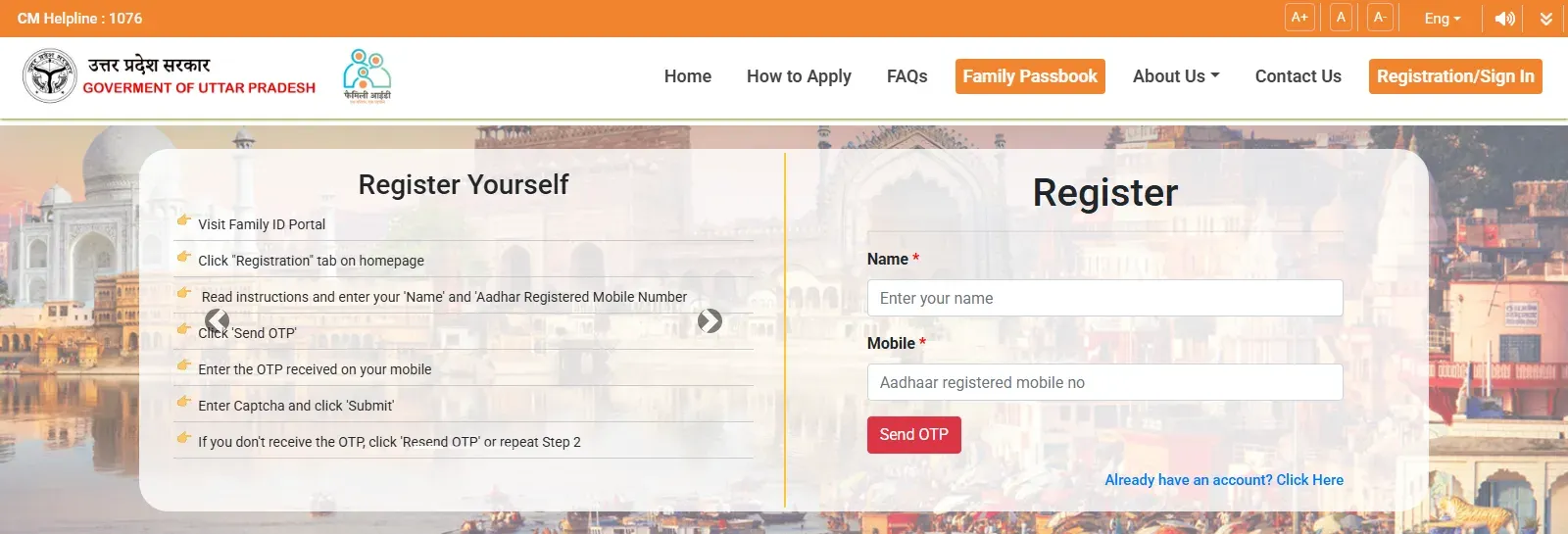
On familyid.up.gov.in, click Start Application (or Registration/Sign In → Register). Enter your name and Aadhaar-registered mobile number, click Send OTP, enter the OTP and the captcha, and submit.
-
Sign in
Click Sign In, enter the same mobile number, then the OTP and the captcha.
-
Check whether your family already has a Family ID
Enter your Aadhaar number and click Proceed (आगे बढ़ें). If your family has a ration card, the existing Family ID is shown. If not, the portal says no Family ID is available; click Proceed to register Family ID (फैमिली आई0 डी0 रजिस्ट्रेशन हेतु आगे बढ़ें).
-
Add the first member (the Applicant)
Enter your own Aadhaar number, tick the consent box and verify with the OTP sent to your Aadhaar-linked mobile. Your details come from Aadhaar; add your marital status, spouse’s name, mobile number and occupation. The first member registered is called the Applicant.
-
Add every other member
For each member, enter their Aadhaar, tick consent and verify with the OTP on their Aadhaar-linked mobile. Add marital status, spouse’s name, mobile, occupation and relationship with the Applicant, then save. Repeat for every member: a family of 5 adds 5 members.
-
Add the address
Choose town (urban) or village (rural), select the district, tehsil and block or ward, enter the address and PIN code, then Save and Proceed. The address must be in Uttar Pradesh.
-
Check and submit
Check every detail, tick the declaration that the information is correct, and submit. Your application is saved as a draft if you log out, so you can finish it later.
-
Note your provisional ID and application number
You get a provisional Family ID and a 15-digit application number, on screen and by SMS. Print the provisional Family ID for reference.
-
Verification visit
The Lekhpal (in towns, through the SDM) or the Gram Panchayat Vikas Adhikari / Gram Panchayat officer (in villages, through the BDO) visits within 15 days to verify the family. After verification, the Family ID is confirmed.
If your application is rejected, you can apply again.
How to Check Your Family ID Application Status
-
Open Track Status
On familyid.up.gov.in, click Track Status.
-
Enter your application number
Type the 15-digit application number you got when you submitted, and click अद्यतन स्थिति दिखाएँ (show latest status).
-
Read the progress
The page lists where the application has been forwarded, from whom to whom, and on which dates. You can download it as a PDF.

If the application has sat at verification for weeks, contact your Lekhpal (towns) or Gram Panchayat secretary or Village Development Officer (villages), or complain on the CM Helpline 1076.
How to View, Print or Download Your Family ID
-
Sign in
On familyid.up.gov.in, click Registration/Sign In, enter your registered mobile number, then the OTP and the captcha.
-
Enter your Aadhaar
Enter your Aadhaar number and click Proceed. Your family’s members are shown.
-
Verify with OTP
Request the OTP on your Aadhaar-linked mobile (the button for viewing, printing or correcting the Family ID) and enter it.
-
View or print
Your 12-digit Family ID is shown. Use the view/print option to print or save it as a PDF, or open the Family Passbook to see your family’s scheme benefits.
Press reports from January 2026 say the Family ID is also available in DigiLocker, and that more than 19 lakh physical Family ID cards had been handed out free.
How to Update Your Family ID — Add or Remove Members
Until 2025 a Family ID made on the portal couldn’t be changed. A Government Order of June 4, 2025 added an online update option (“Update Family ID” on the home page):
-
Sign in and verify
Sign in, enter your Aadhaar, verify with the OTP on your Aadhaar-linked mobile, and click the Family ID update option (फैमिली आई0डी0 संशोधन हेतु यहाँ क्लिक करें). Every member’s current details are shown.
-
Correct a member’s details
Click modify (संशोधित करें) next to the member. After Aadhaar e-KYC, the name and other details are updated to match Aadhaar.
-
Add a new member
Click add new member (नया सदस्य जोड़ें), choose the reason (birth, marriage, or a member left out when you first applied), complete the member’s Aadhaar e-KYC, and choose their relationship with the Applicant.
-
Remove a member
Click delete (डिलीट करें) next to the member and choose the reason: death, marriage, migration, or separated from the family. If the Applicant is removed, nominate a new Applicant and re-enter everyone’s relationship to them.
-
Submit and track
You get an application number; track it on the Track Status page. Officials verify the change (Lekhpal in towns, Gram Panchayat officer or Village Development Officer in villages), after which the updated Family ID can be downloaded.
Ration card families: your Family ID follows your ration card. Changes made to the ration card, such as adding a newborn with a birth certificate or removing a member with a death certificate, update the Family ID. You can’t change the ration card through the Family ID portal.
Common Problems and Fixes
1I have a ration card. Do I apply?
No. Your ration card number is your Family ID. Register and sign in only to view or print it.
2OTP not received
The OTP goes to the mobile number linked to that member’s Aadhaar. If the number is old or inactive, update it at an Aadhaar centre or post office, then try again.
3My name is already in another family
A person can be in only one family. Check that no Family ID or ration card already has your Aadhaar. If you are listed on a ration card you don’t belong to, contact the CM Helpline 1076.
4A member has no Aadhaar
Every member needs an Aadhaar card. Get the member’s Aadhaar (for a child, with the birth certificate) and add them through Update Family ID.
5Application rejected
You can apply again. Check every member’s details against their Aadhaar and make sure everyone at the address is in the same family.
6Need it for domicile urgently
Start the Family ID straight away: you get a provisional ID on submission, and the verification visit is due within 15 days. Ration card families can use the ration card number at once.
The eDistrict Connection — Where the Family ID Fits
- Family ID → domicile certificate: the eSathi domicile application asks for a Family ID. This is the most common reason people suddenly need one.
- Ration card ↔ Family ID: the ration card number is the Family ID, and changes to the ration card flow into it.
- Family ID → schemes: SSPY pensions, scholarships, ration and other DBT schemes check eligibility through it. Your income certificate remains the proof of income those schemes check.
- Family ID ≠ Parivar Register Nakal: when a form asks for the family register copy, the Family ID won’t do, and the other way round.
Family ID registration and your eDistrict certificate applications can both be done at the same Jan Seva Kendra.
Official Figures — Family ID at a Glance
| Figure (October 2026) | Value |
|---|---|
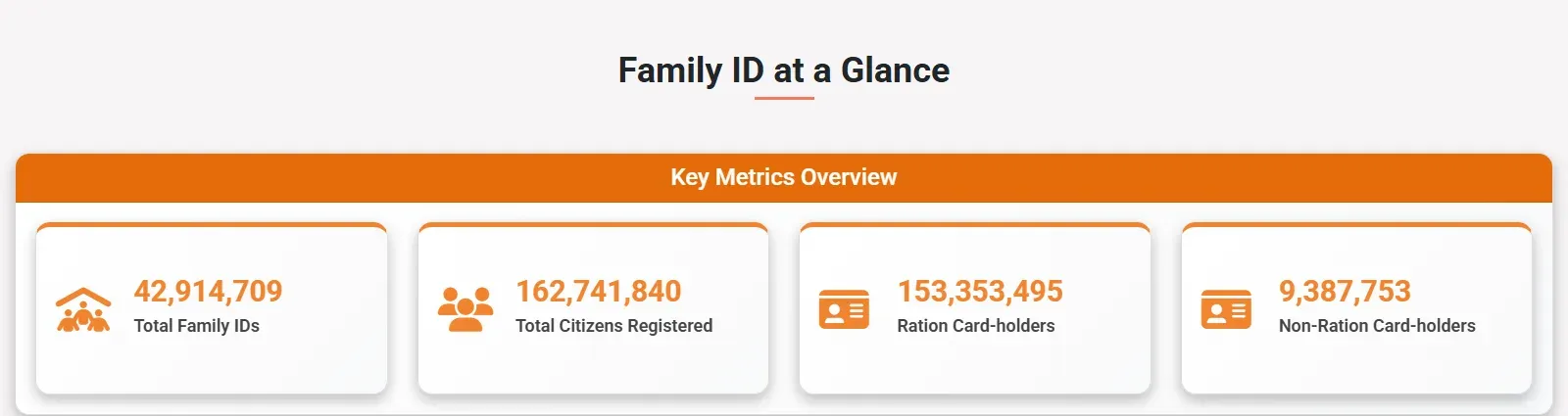
| Total Family IDs | 4,29,14,709 |
| Citizens registered | 16,27,41,840 |
| … through ration cards | 15,33,53,495 |
| … without a ration card | 93,87,753 |
| DBT schemes linked | 82 |
| Families getting 2+ schemes through Family ID | 2,93,35,112 |
| Pension enrolments through Family ID | 4,62,346 |
| Ration benefit enabled through Family ID | 20,33,031 |
| Gender | 52.43% male, 47.55% female |
| Age 0–14 | 13.90% |
Contact
The Family ID portal lists one office: Manpower Planning Division, State Planning Institute (New Division), 5th Floor, Yojana Bhawan, Lucknow 226001. The portal shows the CM Helpline 1076 for help, and the official FAQ also points to it for Aadhaar-linking problems. There is no separate Family ID helpline on the portal.
Quick Reference
| Detail | Information |
|---|---|
| Official name | Family ID — Ek Parivar Ek Pahchan |
| Portal | familyid.up.gov.in |
| Department | Planning Department, Government of Uttar Pradesh |
| Format | 12-digit number per household |
| Started | GO of July 21, 2022; guidelines February 7, 2023 |
| Family IDs (Oct 2026) | 4.29 crore, covering 16.27 crore people |
| Ration card families | Ration card number = Family ID |
| New Family ID | Register → Sign In → Aadhaar → Proceed to register → add members → address → submit |
| Documents | None to upload; Aadhaar and Aadhaar-linked mobile for every member |
| Cost | Free |
| Verification | Lekhpal (towns) / Gram Panchayat Vikas Adhikari (villages), visit within 15 days |
| Status | Track Status → 15-digit application number |
| Update | Online since June 2025 (add, remove, correct members) |
| Voluntary? | Yes, but needed for many schemes and the domicile application |
| Helpline | CM Helpline 1076 |
Frequently asked questions
What is UP Family ID?
Family ID (फैमिली आईडी — एक परिवार एक पहचान, "One Family, One Identity") is a 12-digit unique number for a family in Uttar Pradesh, run by the state's Planning Department on familyid.up.gov.in. It holds the family's details so that departments can check eligibility and pay scheme benefits. By October 2026 the portal showed 4.29 crore Family IDs covering 16.27 crore people.
Do I need to apply if I have a ration card?
No. If your family has a ration card, the ration card number is your Family ID. You only register and sign in on the portal to view or print it. Families without a ration card apply for a new 12-digit Family ID.
Is Family ID mandatory?
No, it is voluntary. The official FAQ says families who get, or want to get, benefits under state or central government schemes should register, and others may also opt in. In practice it is asked for by more and more services, including the domicile application on eSathi.
Do I need to upload any documents?
No. The official FAQ says no document upload is needed. Every family member must have an Aadhaar card, and each one completes e-KYC with an OTP sent to the mobile number linked to their Aadhaar.
How long does a new Family ID take?
You get a provisional Family ID and a 15-digit application number as soon as you submit. According to the official user manual, the Lekhpal (towns) or the Gram Panchayat Vikas Adhikari (villages) visits within 15 days to verify the family, after which the Family ID is confirmed.
Is Family ID registration free?
Yes, registering on familyid.up.gov.in is free. If a Jan Seva Kendra (CSC) fills it for you, it may charge a service fee; the portal does not publish one.
How do I check my Family ID application status?
Open familyid.up.gov.in → Track Status and enter your 15-digit application number. The page shows where the application has been forwarded and on which dates, and you can download the status as a PDF.
How do I download or print my Family ID?
Sign in on familyid.up.gov.in with your registered mobile number and OTP, enter your Aadhaar number, and request an OTP on your Aadhaar-linked mobile. You can then view, print or download the Family ID. A newly submitted application also shows a link to print the provisional Family ID.
Can I add or remove a family member?
Yes, since June 2025 for Family IDs made on the portal. Sign in, enter your Aadhaar, verify by OTP and choose the Family ID update option. A member can be added (birth, marriage, or left out earlier) or removed (death, marriage, migration, or separated) with Aadhaar e-KYC; officials then verify the change. For ration card families, changes made on the ration card update the Family ID.
Is Family ID the same as Parivar Register Nakal?
No. The Family ID is a 12-digit digital number for welfare schemes. The Parivar Register Nakal is a certified copy of the Gram Panchayat's family register, used as legal proof of family relationships for Varasat, caste and court matters.
Is Family ID the same as Aadhaar?
No. Aadhaar identifies one person; the Family ID identifies a household. Every member of a Family ID must have an Aadhaar, and a person can belong to only one family.
My Aadhaar is already on another family's ration card. What do I do?
A person can be linked to only one family. If your Aadhaar is on a ration card you are not part of, the official FAQ says to contact the CM Helpline 1076 to resolve it before applying.
Can a single person get a Family ID?
Yes. A single person, and a destitute person, can apply for a Family ID. There is no limit on the number of members in a family.